⬅️ Use browser back arrow to return.
Canon DSLR Manual Auto Focus Calibration Overview
Manual Auto Focus Adjustment
Our automatic calibration process handles most jobs and is the recommended default method!
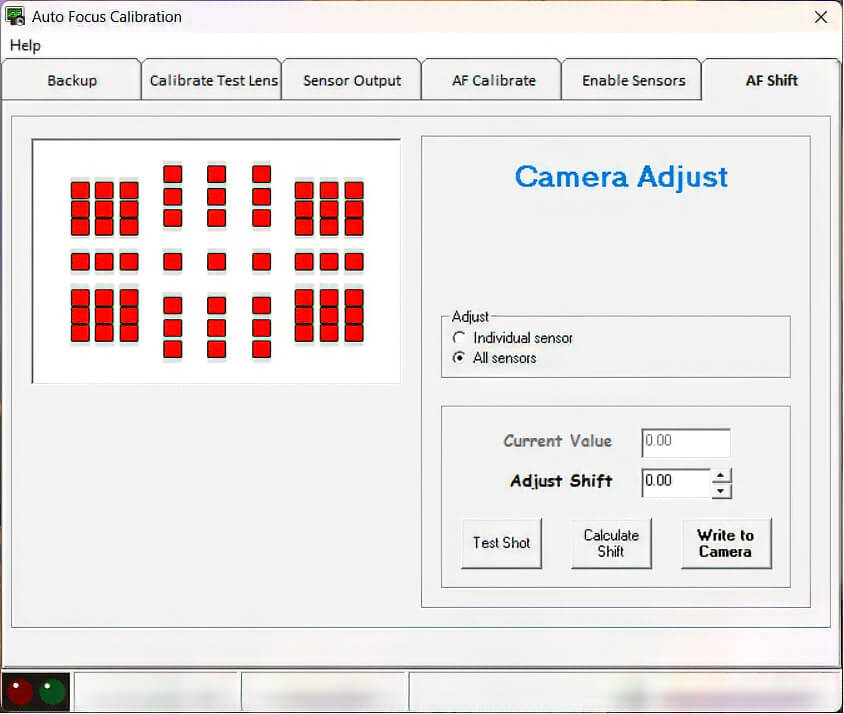
However, Technician preference or unique client requests — such as specific front/back shifts or Infrared (IR) conversions require manual AF Adjustment. For these advanced setups, you will use the Enable Sensors and AF Shift tabs in tandem to dial in the calibration.
Bench Tip: Until you are experienced with manual sensor-level calibration, we strongly recommend selecting "Enable all sensors (Normal)" in the Enable Sensors tab, and Adjust 'All sensors' in the AF Shift tab.
Enable Sensors (Requires Test Lens)
Manually AF Adjustments are normally reserved for special calibrations!
Select Enable all sensors (Normal) for standard repairs.
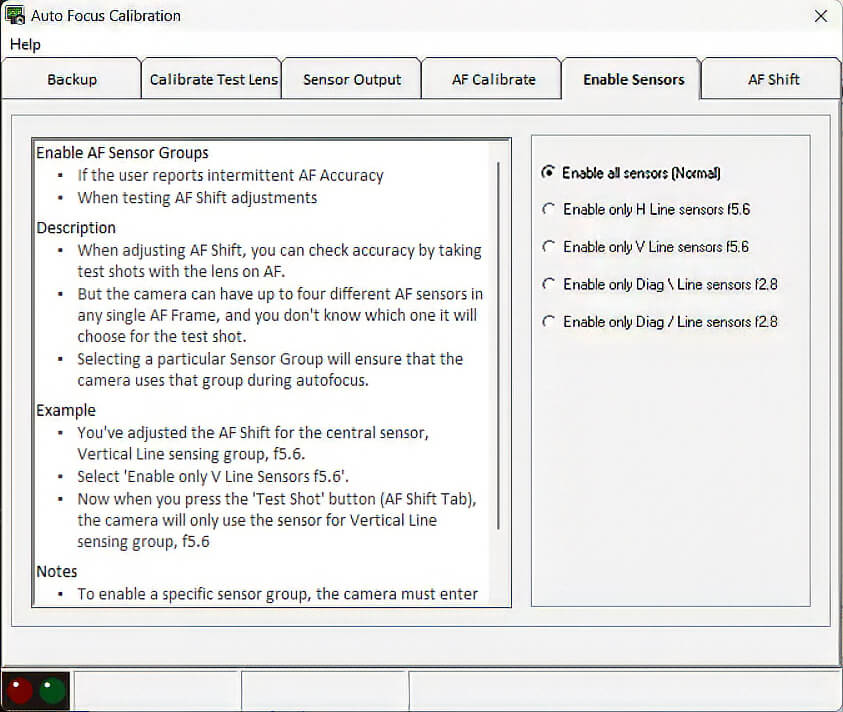
Click: "All sensors (Normal)". This locks all sensor groups simultaneously so you can adjust them globally inside the AF Shift tab.
Manual AF Adjustment — Part 2 (Requires Test Lens)
Use this tab to manually adjust AF shift values after enabling your sensors.
Reserve Manual AF Adjustments for Special Calibrations Only.