
⬅️ Use browser back arrow to return.
Canon DSLR Auto Focus Calibration Overview
Getting Started
Start by creating a Calibrated Test Lens. This gives you a hands-on introduction to the workflow, and this single lens can be used to service all Canon DSLR bodies. Use the software Help section to select a good test lens.
When performing a repair, use this fast two-step workflow:
- Backup Camera Data using the Backup tab.
- Calibrate Auto Focus automatically using the AF Calibrate tab.
AF Data Backup & Restore
Protect the camera’s original calibration data before Making any modifications

Create a Test Lens
Create a calibrated Test Lens by building a custom compensation file.
Normally AF calibration requires an expensive, lab-grade lens. Our process creates a custom compensation file for a standard, high-quality lens; converting it into a precise Test Lens.

You can create as many Test Lenses as you want.
Automatic AF Calibration (Requires Test Lens)
Adjust your Camera Bodies AF Automatically
Cameras have hundreds of AF Sensors, so it is not practical to calibrate AF manually. SPT Software uses our Automatic AF Calibration process which can complete the job in minutes.
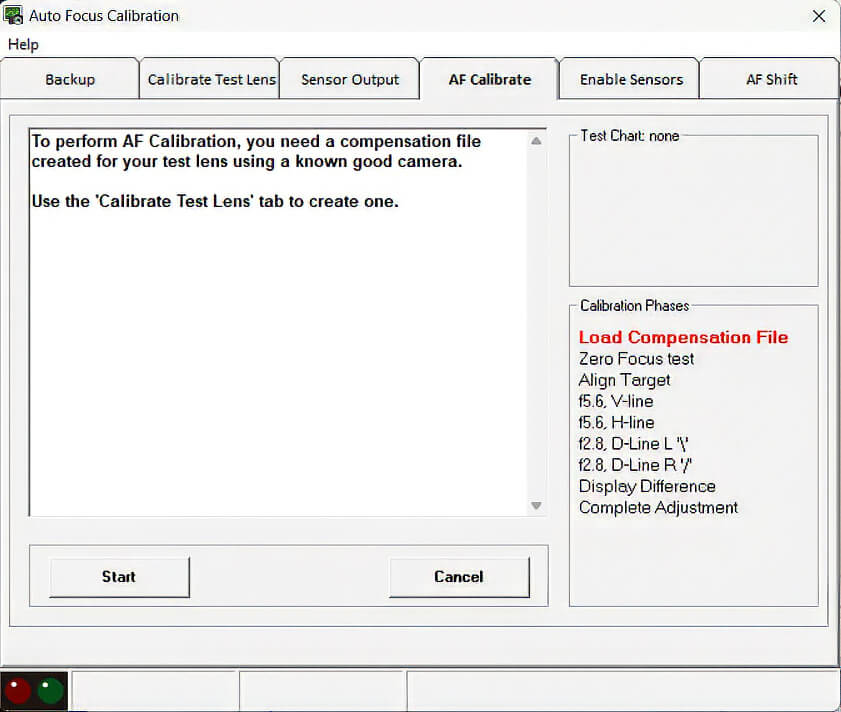
Load your saved Compensation File into your Test Lens. Then follow our step-by-step on-screen prompts to manually guide software as it adjusts the camera body.