
General
Canon EOS R6 Mark III — General Tab Overview
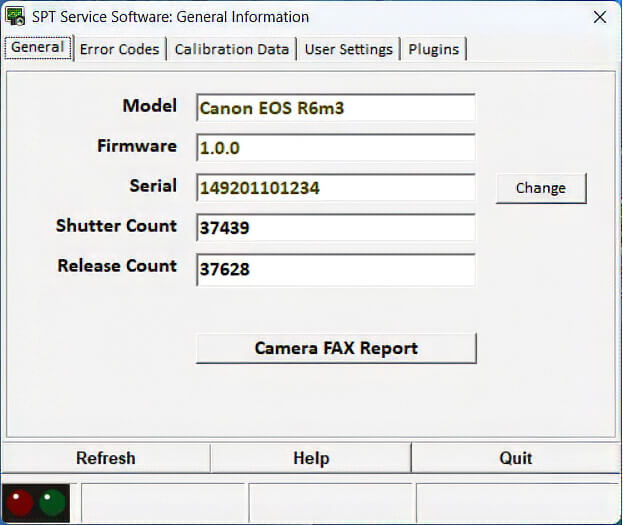
Canon EOS R6 Mark III — General Tab Overview
The General Tab is your primary bench dashboard for the Canon EOS R6 Mark III. It provides immediate access to hardware identity, release counts, and service documentation before and after any repair.
With the General Tab, you can:
- View key camera details at a glance: Instantly verify internal firmware versions, model IDs, and DIGIC X system status upon USB connection.
- Read the Shutter and Release Counts: Inspect both the mechanical focal-plane shutter actuations and total system releases separately.
- Verify or write electronic serial numbers: Match the main board's internal electronic serial number to the exterior chassis plate following a replacement main board installation.
- Print the Before and After Camera FAX Report: Generate clean, timestamped diagnostic sheets to document incoming condition and verify post-repair benchmarks for your client records.
⚠️ Important: Always enter a valid Canon serial number matching the physical body tag. Writing an invalid or improperly formatted serial number can cause communication faults or serious firmware lockups on the main board.
✅ YES — You can reset or modify the Total Release Count on the Canon EOS R6 Mark III, allowing you to zero out the counter cleanly after installing a new shutter assembly.
⬅️ Done? Use your browser’s back arrow to return.