
⬅️ Tip: Use your browser’s back arrow to return to the previous page anytime.
General
Quick Information Check & Camera FAX Report
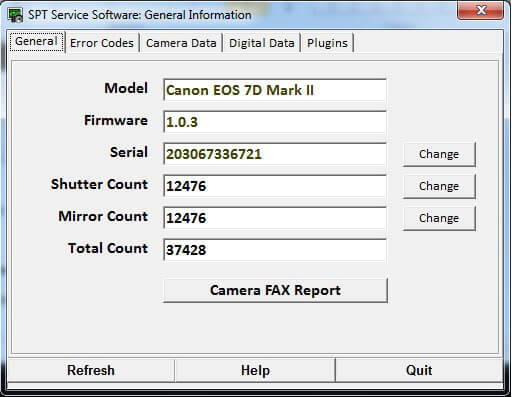
With the General Tab, you can:
- View key camera details at a glance.
- Read and Change the Shutter, Mirror and Total Counts.
- Match the camera's electronic serial numbers to the Case number if necessary.
- Print the Before and After Service Camera FAX Report
⚠️ Important: Always use a valid Canon serial number. Entering an invalid number may cause serious issues with your camera.
Camera Menu & Shutter Count Apps
The number shown in the Camera Menu and by Shutter-Count apps is the Total Release Count.
✅ YES — You can change the Total Release Count on this model.
⬅️ Done? Use your browser’s back arrow to return.