
⬅️ Tip: Use your browser’s back arrow to return to the previous page anytime.
Click this tab bar to view each feature of the plugin
Shutter Timing
Calibrate your shutter without expensive test equipment
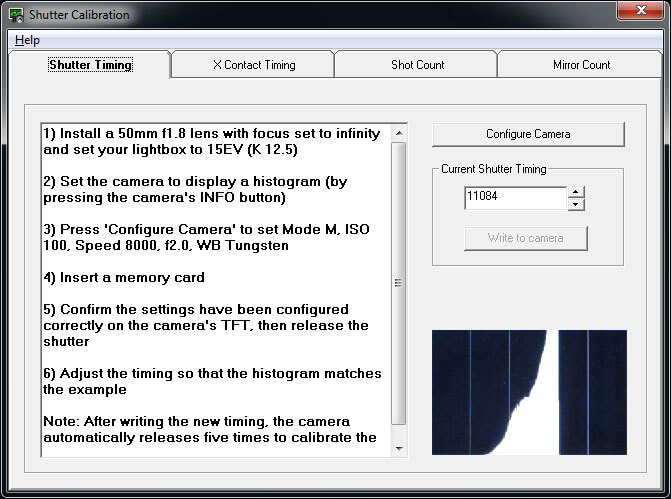
Fine-tune high shutter speeds using histograms — no costly test gear required.
The software guides you step-by-step, saving time and effort.
⚠️ For accurate results, use a calibrated light source like a lightbox.
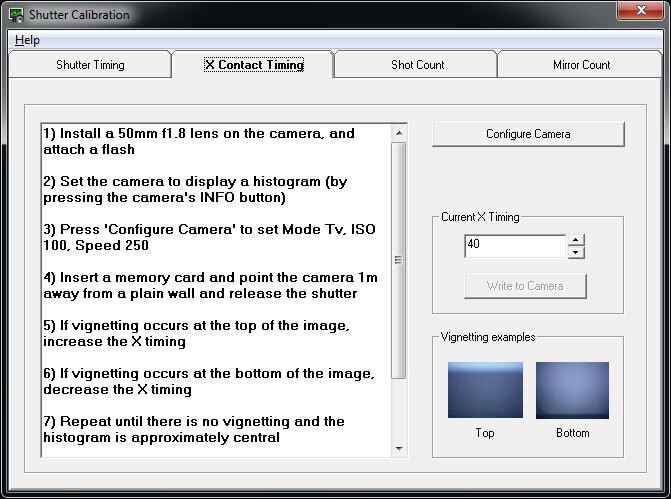
X Contact Timing
Check and adjust X Contact Timing if needed
Shutter Count
Reset the current Shutter Count to '0' after a shutter replacement
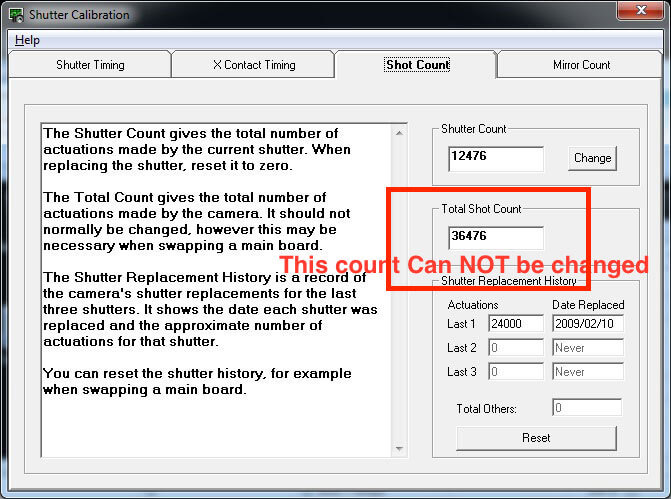
Camera Menu & Shutter Count Apps
The number shown in the Camera Menu and Shutter-Count apps is the Total Release Count.
❌ NO — You cannot change the Total Release Count on this model.
Mirror Count
Reset the current Mirror Count to '0' after a mirror box replacement
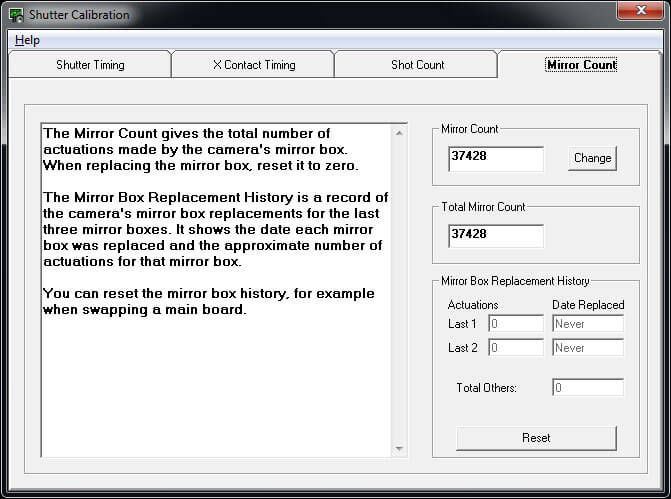
You can also reset the Previous Mirror Boxes and read the Total Mirror count.
⬅️ Done? Use your browser’s back arrow to return.