⬅️ Use browser back arrow to return to main menu.
Auto Exposure Plugin
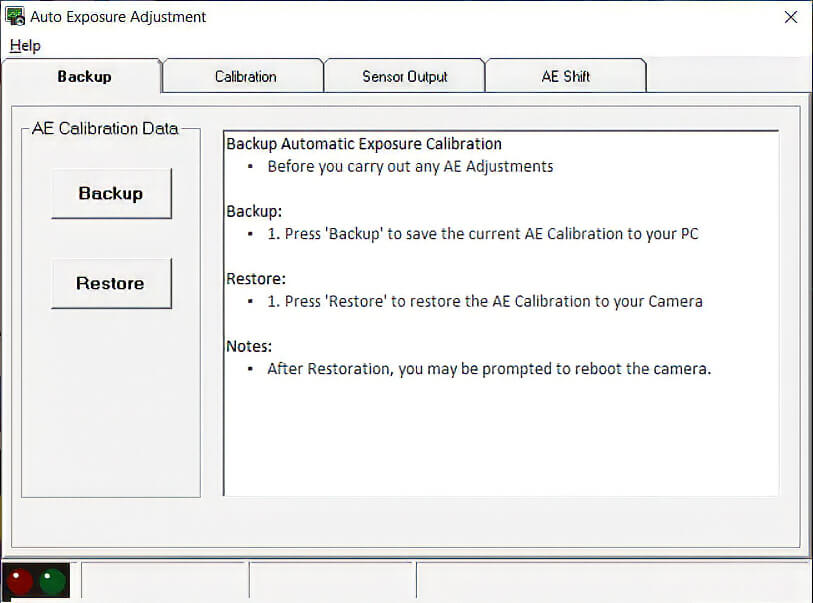
AE Data Backup & Restore
Protect the camera’s original calibration data before making any modifications
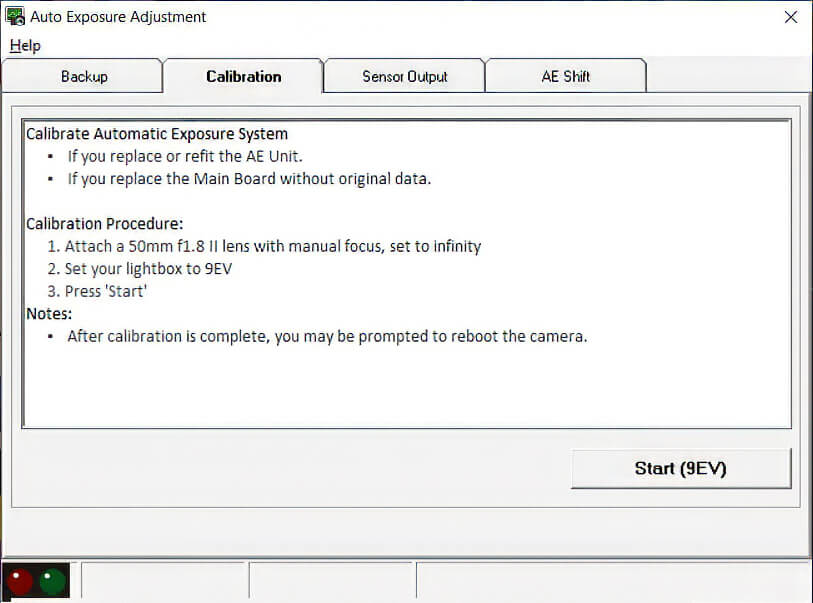
AE System Calibration
Adjust the Camera’s Lightmeter System
Calibration requires a 50mm f/1.8 lens and a calibrated lightbox set to EV9.
AE Sensor Output
Check Real-Time Sensor Output Across All Light Meter Cells
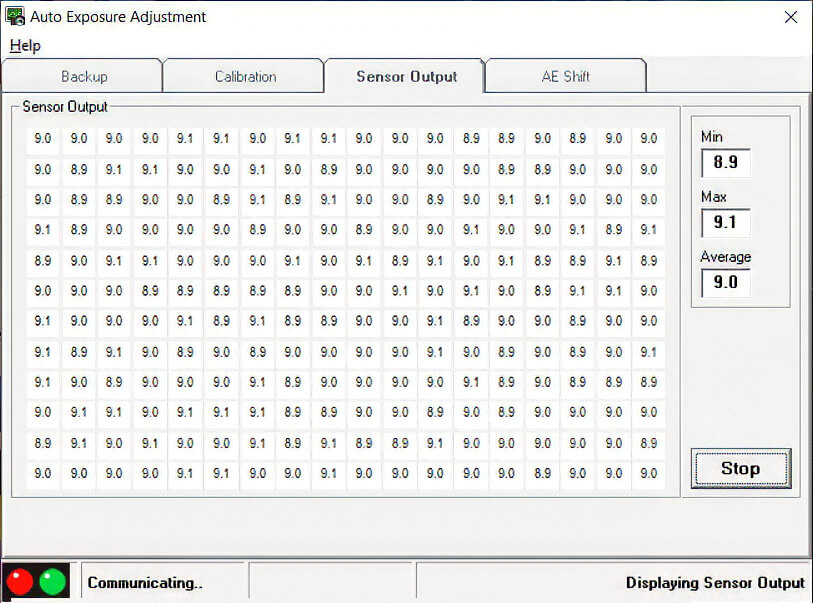
This window displays the raw exposure value for each individual AE sensor segment. The right data panel automatically calculates the minimum, maximum, and average readings to verify metering balance.
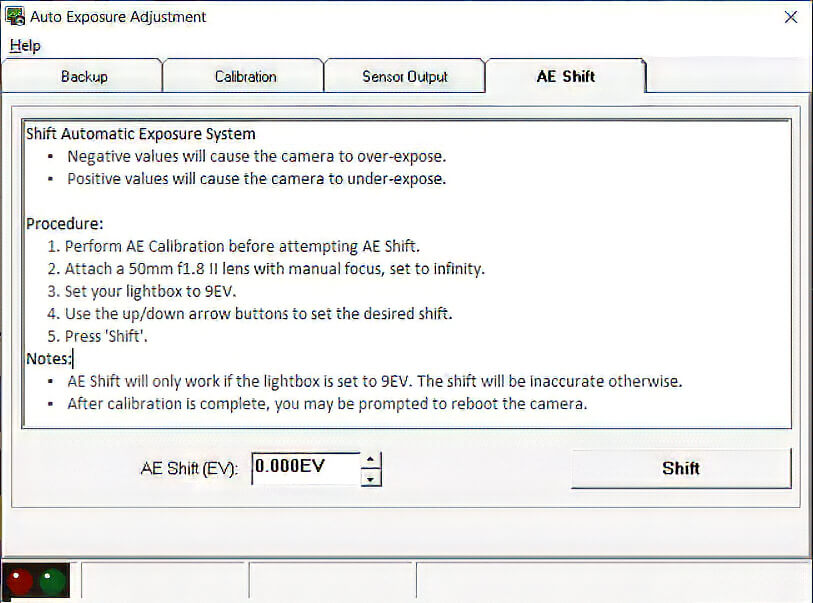
Manual AE Shift
Override Standard Auto-Exposure
This tab allows you to intentionally overexpose or underexpose the camera’s AE. Use this feature to compensate for non-standard focusing screens or to meet specific client requirements.