News

Welcome to our Technical Information Pages!

Canon EOS 90D Thermal Diagnostics & Temperature Plugin

⬅️ Tip: Use your browser’s back arrow to return to the previous page anytime.

Temperature

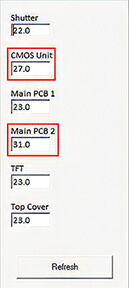
Solve Hard-to-Troubleshoot Temperature Related Problems

With the Temperature Plugin, you can:

  1. Check and Test Key Sensors; on the EF Unit, CMOS Unit, TFT Display.
  2. Eliminate guesswork when diagnosing temperature sensor issues.
  3. Quickly identify the source of temperature-related problems.
  4. Save time and minimize frustration during repairs.


Here are a few temperature-related issues

  • Soft focus on hot days – Caused by changes in Lens Flange/CMOS distance.
  • Random overexposure or underexposure – Due to fluctuations in AE current.
  • Dark images at high shutter speeds – Resulting from Shutter temperature changes.
  • Flash malfunctions – Triggered by temperature shifts in the EF unit.

⬅️ Done? Use your browser’s back arrow to return.


Canon 5D Mark IV Shutter Calibration & Shutter Count Reset

⬅️ Tip: Use your browser’s back arrow to return to the previous page anytime.
 
Click this tab bar to view each feature of the plugin
Shutter Timing
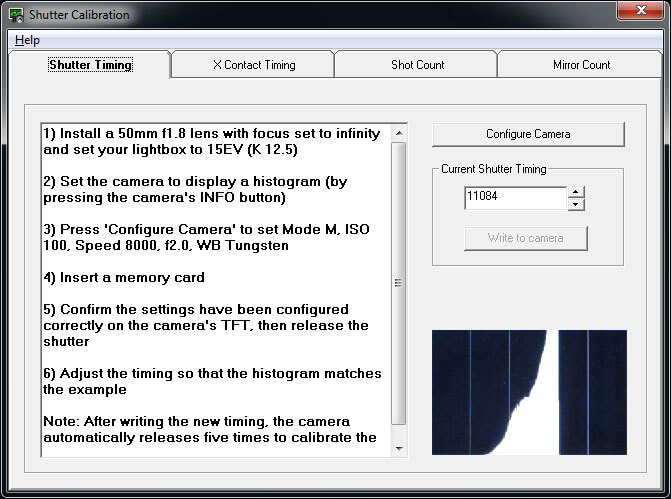
Calibrate your shutter without expensive test equipment

Shutter Timing Screen

Fine-tune high shutter speeds using histograms — no costly test gear required.

The software guides you step-by-step, saving time and effort.

⚠️ For accurate results, use a calibrated light source like a lightbox.

X Contact Timing
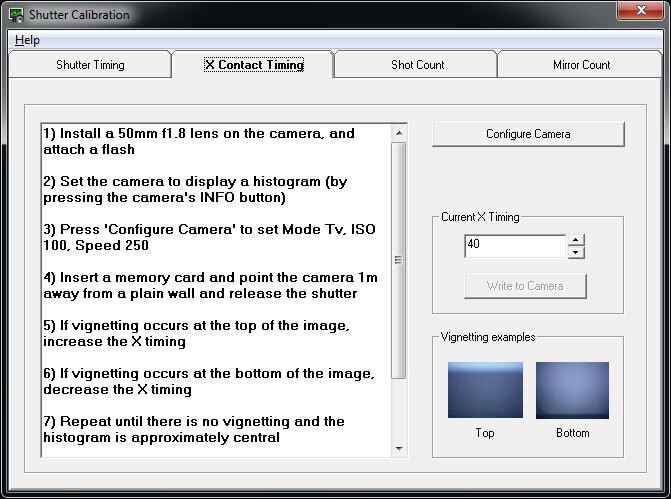
Check and adjust X Contact Timing if needed
X Contact Timing Screen
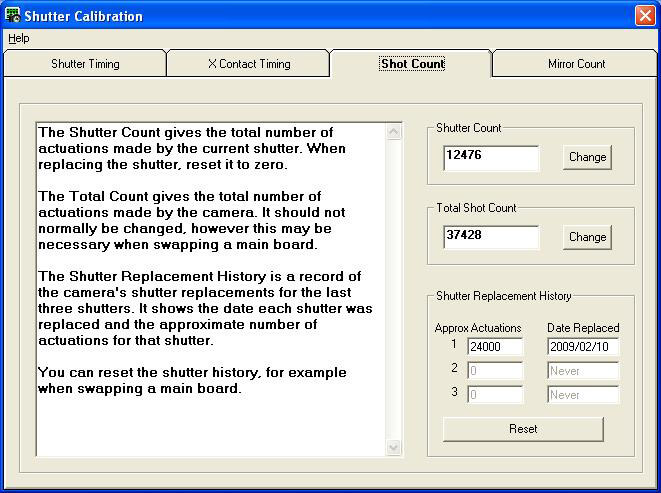
Shutter Count
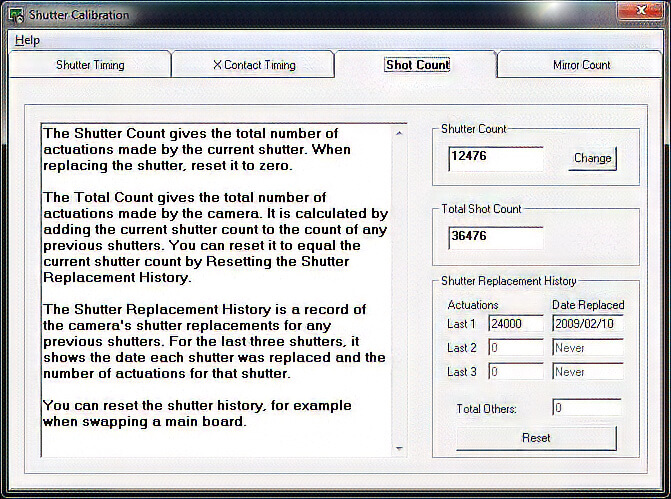
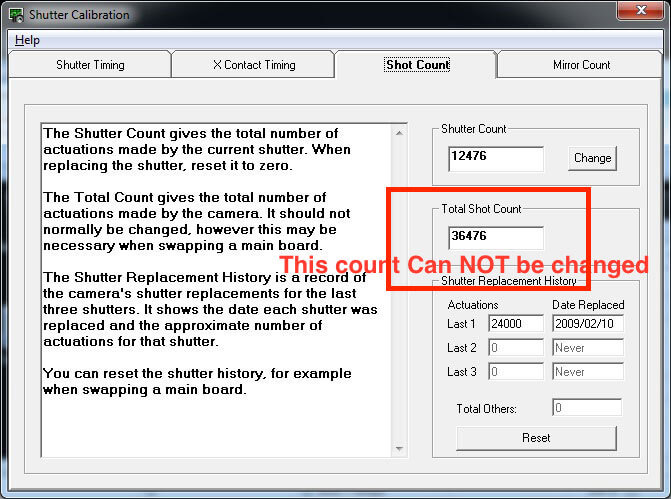
Reset the current Shutter Count to '0' after a shutter replacement
Shutter Count Screen

⚠️ The Release Count on the 5D Mark IV cannot be changed, reset, or modified.

Note: The number a customer sees in the camera menu or in third-party software is the Release Count, though it is frequently mistaken for the mechanical Shutter Count. On this model, that customer-facing display number is permanent.

Mirror Count
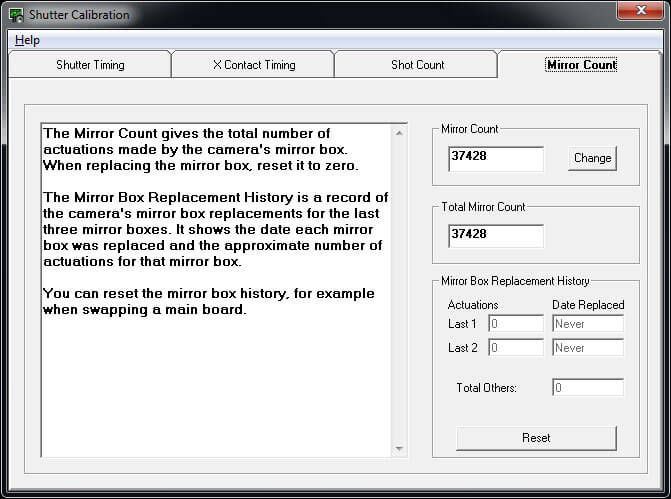
Reset the current Mirror Count to '0' after a mirror box replacement
Mirror Count Screen

You can also reset the Previous Mirror Boxes and read the Total Mirror count.

⬅️ Done? Use your browser’s back arrow to return.


Canon 5D Mark IV Regional Defaults & Factory Reset Tool

⬅️ Tip: Use your browser’s back arrow to return to the previous page anytime.
Click this tab bar to view each feature of the plugin
Standard Defaults
Restore Factory Defaults, Avoid Calibration Conflicts, Prep the Camera for Resale ….

With Standard Defaults, you can:

  • Reset some or all settings back to Factory Defaults.
  • Eliminate Calibration conflicts by resetting User or Custom Functions to Factory Defaults.
  • Reset the camera’s language back to English if it defaults into Japanese.
  • Reset Factory Defaults for Resale, which also removes the Previous Owner’s Settings.

⚠️ Before resetting User and Custom functions to Factory Default, be sure to back up the customer’s setting using the User Tab in Essential.

Regional Defaults
Buy Main Boards Internationally—Shop for the Best Price and Availability
Regional Defaults

With Regional Defaults, you can:

  • Buy Main Boards globally without worrying about region-specific settings.
  • Quickly adjust your camera to match the correct settings for your country.

Regional Settings Include:

  • Video System (PAL/NTSC)
  • WiFi Configuration
  • User Language
  • Date Format

Whether servicing cameras, replacing parts, or preparing a camera for resale, the Defaults and Geographical Plugin makes the process quick and hassle-free.

⬅️ Done? Use your browser’s back arrow to return.


Canon 5D Mark IV Lens Focus Compensation & AF Error Diagnostic

⬅️ Tip: Use your browser’s back arrow to return to the previous page anytime.

Lens Focus Compensation Plugin

Measure Lens AF Error Values to Recalibrate Lenses AF in SPT Lens Professional

How Lens Focus Compensation Works

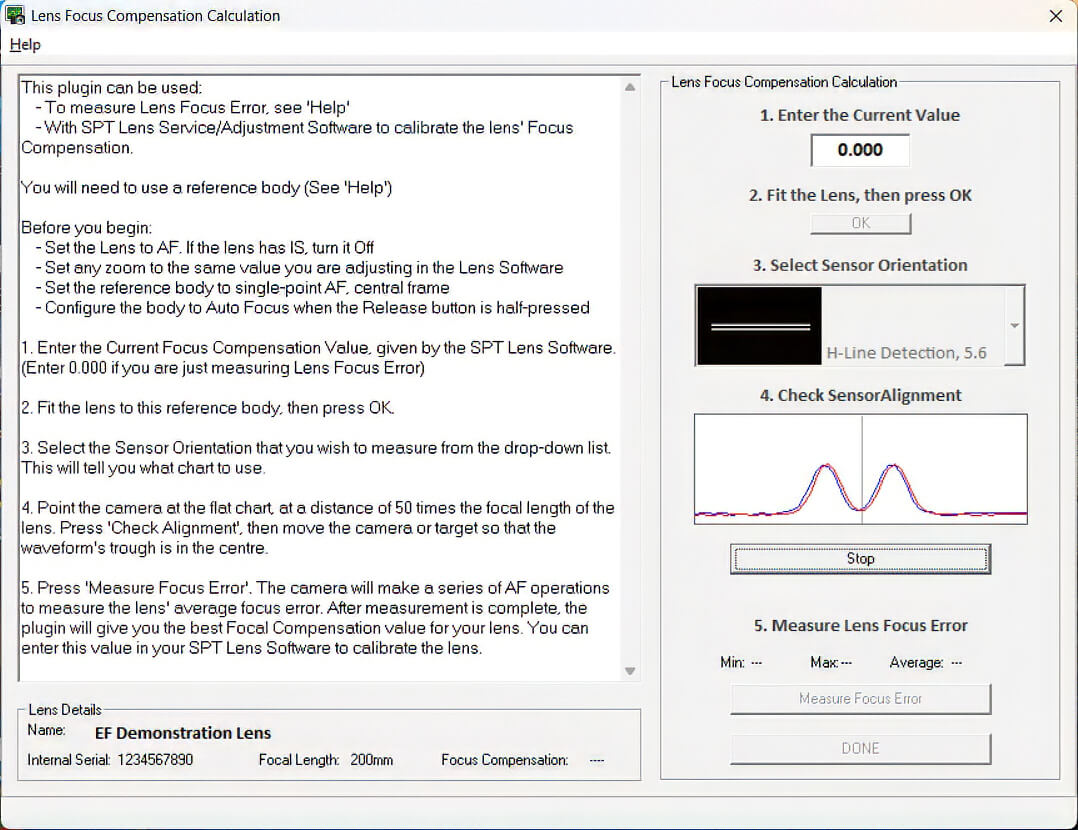
This plugin automates a series of camera AF operations to measure a lens's average deviation from perfect focus, generating a precise Lens Focus Error number.

You can then input this value into SPT Lens Professional Software to perform true lens AF adjustments.

  • Automated Focus Analysis: Measures exact focus deviation across specific AF system configurations and zoom settings.
  • Isolate Mechanical vs. Calibration Issues:
    • Small Errors: Normal tolerance; can generally be ignored.
    • Larger Errors {> 0.04): Indicates either an internal mechanical fault or a lens that requires full recalibration.
  • Bench Requirement: Must be used with a verified Reference Body that shares the target camera's AF system.

⬅️ Done? Use your browser’s back arrow to return.


Canon 5D Mark IV AE Calibration & Sensor Output Diagnostic

⬅️ Use browser back arrow to return to main menu.
Canon 5D Mark IV AE Calibration & Sensor Output Diagnostic

AE System Calibration

Adjust the Camera’s Lightmeter System
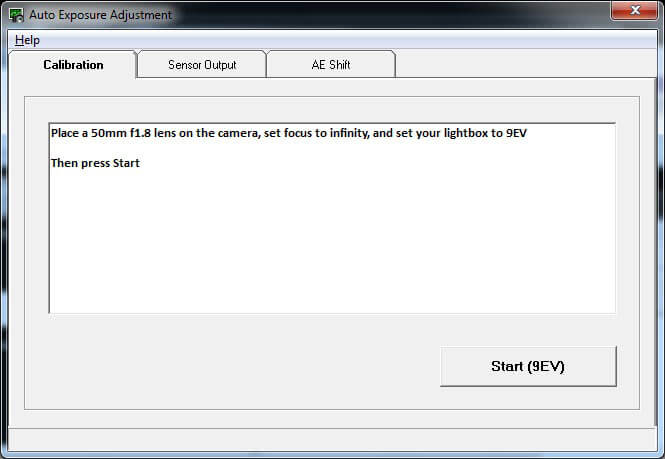
Calibration requires a 50mm f/1.8 lens and a calibrated lightbox set to EV9.
AE System Calibration Screen

AE Sensor Output

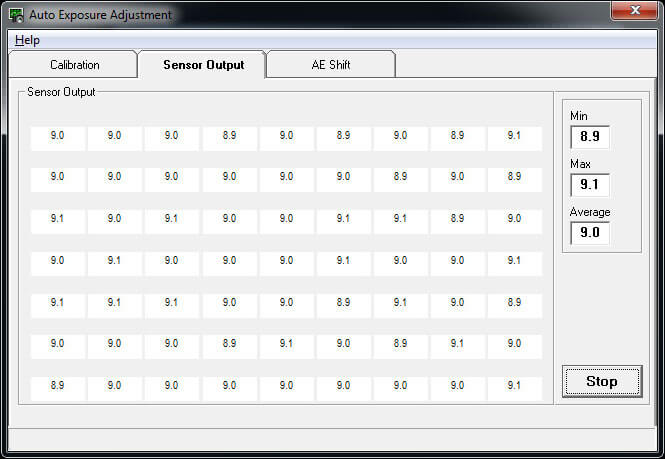
Check Real-Time Sensor Output Across All Light Meter Cells
AE Sensor Output Screen
This window displays the raw exposure value for each individual AE sensor segment. The right data panel automatically calculates the minimum, maximum, and average readings to verify metering balance.

Manual AE Shift

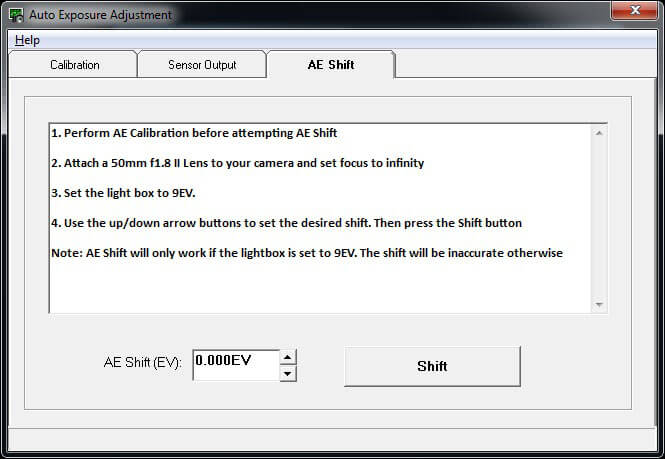
Override Standard Auto-Exposure
This tab allows you to intentionally overexpose or underexpose the camera’s AE. Use this feature to compensate for non-standard focusing screens or to meet specific client requirements.
Manual AE Shift Screen
 

Canon 5D Mark IV Service Mode Plugin | Bench Diagnostic Tool

⬅️ Tip: Use your browser’s back arrow to return to the previous page anytime.


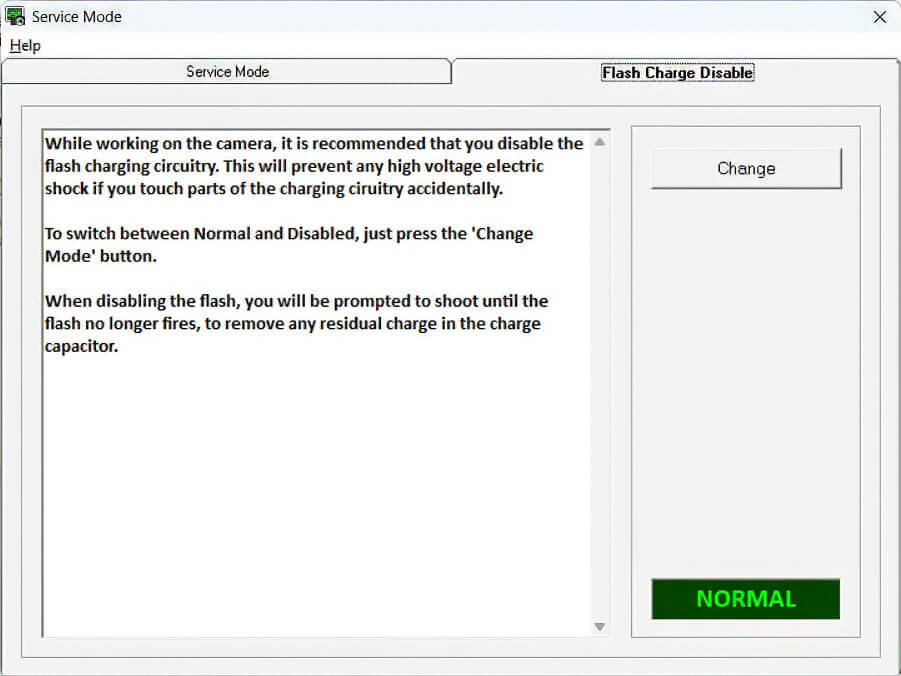
Service Mode

Test your work without doing a complete Reassembly
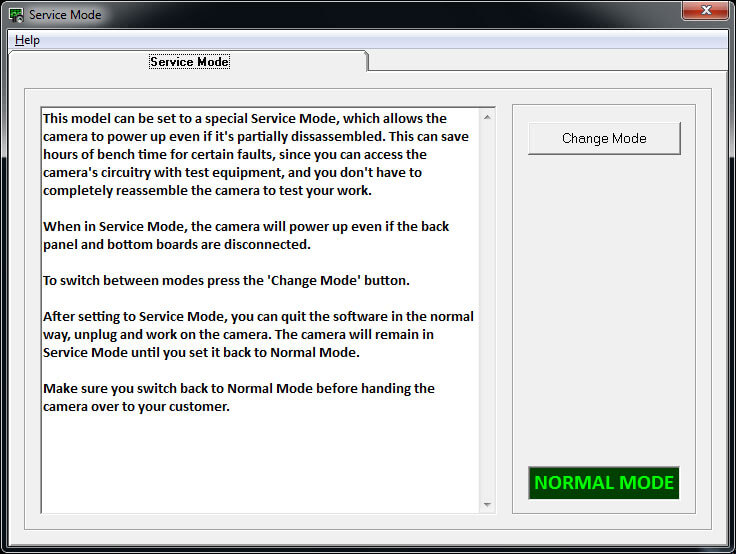


Power up and check your work before putting the camera back together.

Test shutter replacements and board repairs mid-fix, don't waste time on a full reassembly just to test a repair.

  • ⚠️  After testing is complete, reconnect to the software and toggle back to Normal Mode before returning the camera to the customer.

This feature streamlines repairs, helping you work more efficiently while boosting your productivity and profitability. 


⬅️ Done? Use your browser’s back arrow to return.
 

Canon 5D Mark IV Temperature Diagnostics & Sensor Testing

⬅️ Tip: Use your browser’s back arrow to return to the previous page anytime.

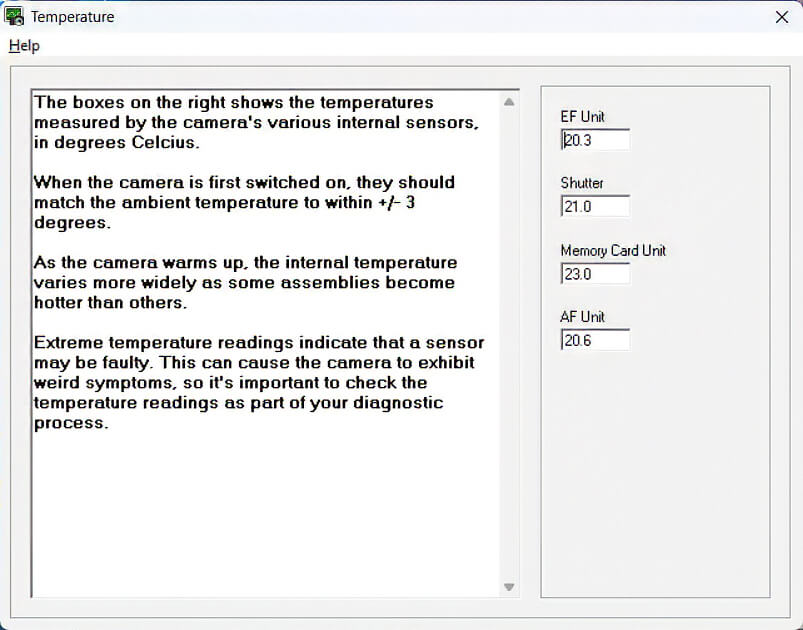
Temperature

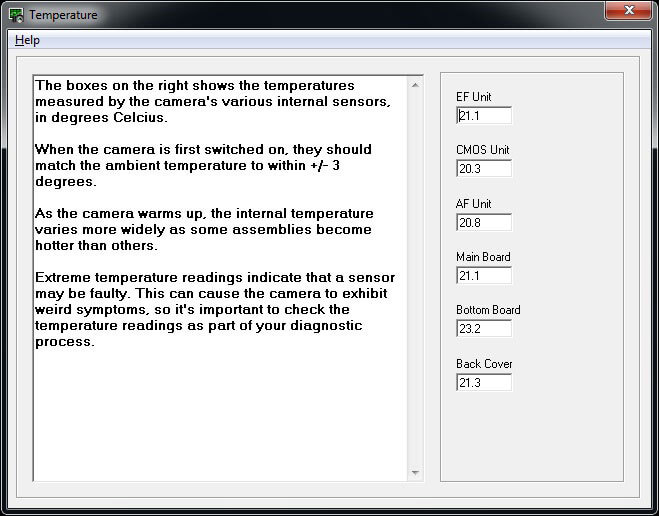
Solve Hard-to-Troubleshoot Temperature Related Problems

With the Temperature Plugin, you can:

  1. Check and Test Key Sensors; on the EF Unit, CMOS Unit, AE Unit, Main Board, Bottom Board and Back Cover.
  2. Eliminate guesswork when diagnosing temperature sensor issues.
  3. Quickly identify the source of temperature-related problems.
  4. Save time and minimize frustration during repairs.


Here are a few temperature-related issues

  • Soft focus on hot days – Caused by changes in Lens Flange/CMOS distance.
  • Random overexposure or underexposure – Due to fluctuations in AE current.
  • Dark images at high shutter speeds – Resulting from Shutter temperature changes.
  • Flash malfunctions – Triggered by temperature shifts in the EF unit.

⬅️ Done? Use your browser’s back arrow to return.
 

Canon EOS 5D Mark IV Shutter Count & Camera FAX Software

⬅️ Tip: Use your browser’s back arrow to return to the previous page anytime.


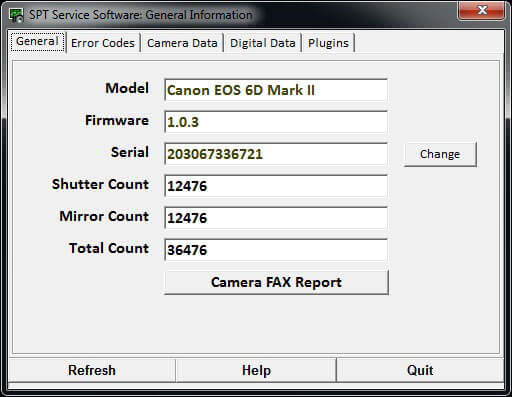
General

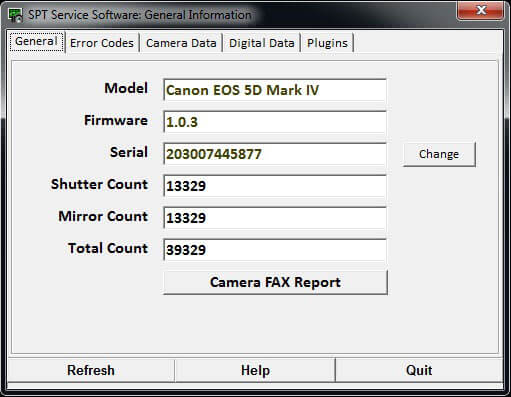
Quick Information Check Camera FAX


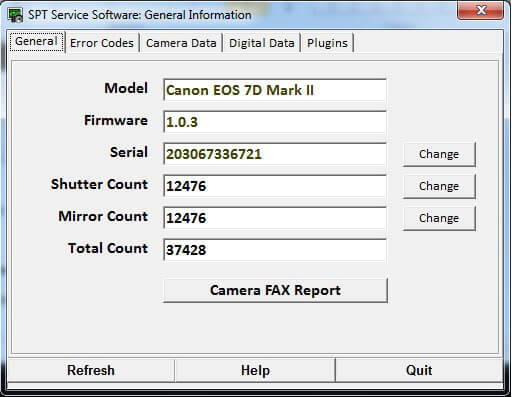
With the General Tab, you can:

  1. View key camera details at a glance.
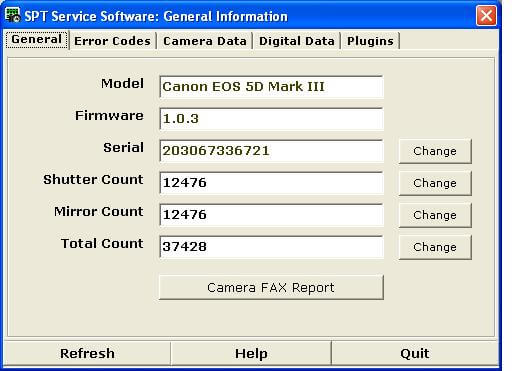
  2. Read the Shutter, Mirror and Total Release Counts.
  3. Match the camera's electronic serial numbers to the Case number if necessary.
  4. Print the Before and After Service Camera FAX Report

⚠️ Important: Always use a valid Canon serial number. Entering an invalid number may cause serious issues with your camera.


⬅️ Done? Use your browser’s back arrow to return.
 

Canon 5D Mark IV Digital Data Backup

⬅️ Tip: Use your browser’s back arrow to return to the previous page anytime.


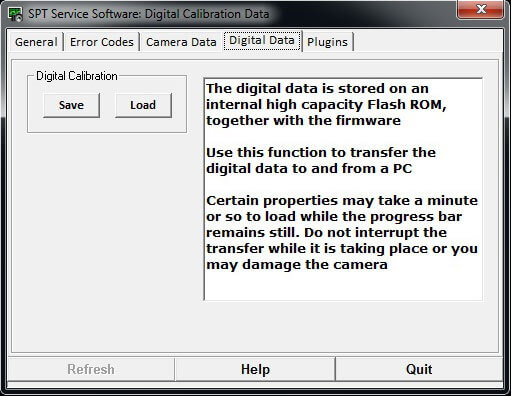
Digital Data

Save and Restore the Cameras Digital Data


Digital Data Files control the camera's core digital imaging processing pipeline. When transferring or backing up this data, the software will display the active properties and a real-time progress bar.


CRITICAL WARNING: DO NOT INTERRUPT THE SAVE PROCESS.

Disconnecting power or closing the software during a transfer will corrupt the EEPROM and cause unrecoverable damage to the camera’s Main Board.


Canon 5D Mark IV Calibration Data Backup & Restoration Tool

⬅️ Tip: Use your browser’s back arrow to return to the previous page anytime.


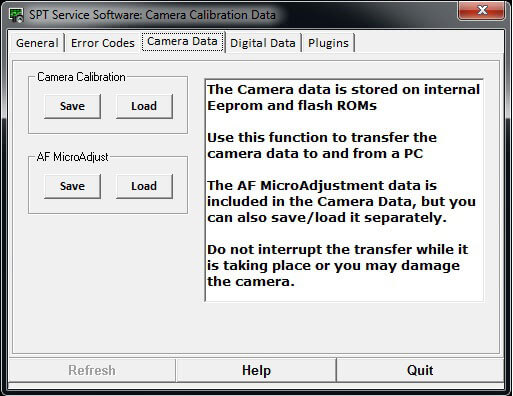
Camera Data

Save & Restore Camera Calibration Settings

⚠️ Tip:  Save your Camera Data using this Calibration Tab first, even if you are planning to use the Main Board Replacement plugin.  Here’s why …

With the Camera Data Tab, you can:

  1. Replace the Main Board with a reliable Used board, if you were able to save the original Calibration data.
  2. Save the calibration data before making adjustments, so you can quickly restore the camera’s original settings if needed.


⚠️  If you CAN NOT save the Original Camera Data or are installing a New Main Board, you will need to use the more extensive Main Board Replacement Plugin.


ℹ️ Note on AF MacroAdjust: These files contain the custom lens-to-body focus compensation data. They are saved automatically inside your full Calibration Data backup, or can be managed as individual files.


The software makes it simple … just follow the directions and prompts